Assetto Corsa Content Manager and CSP Explained
By GameModeShop Editors4 min read
Quick answer
Content Manager is a replacement launcher that installs, organizes and launches mods and handles online servers. Custom Shaders Patch is an engine extension that adds modern lighting, weather, rain and features many mods require. You install Content Manager first, then CSP from inside it, then weather mods like Sol on top of CSP.
The steps at a glance
- 1Install Content Manager. Download it from the official site, extract it to its own folder and point it at your Assetto Corsa folder.
- 2Install CSP from Content Manager. Open Settings, go to the Custom Shaders Patch section and install the offered version.
- 3Add a weather mod. Drag Sol or another weather mod onto Content Manager to install it, then select it in CSP's weather settings.
- 4Tune CSP for your PC. Turn heavy effects down first if performance drops, then re-enable the ones you value most.
- 5Update deliberately. Update CSP when a mod you want needs it, and switch back to an earlier version in Content Manager if something breaks.
Why these two tools matter
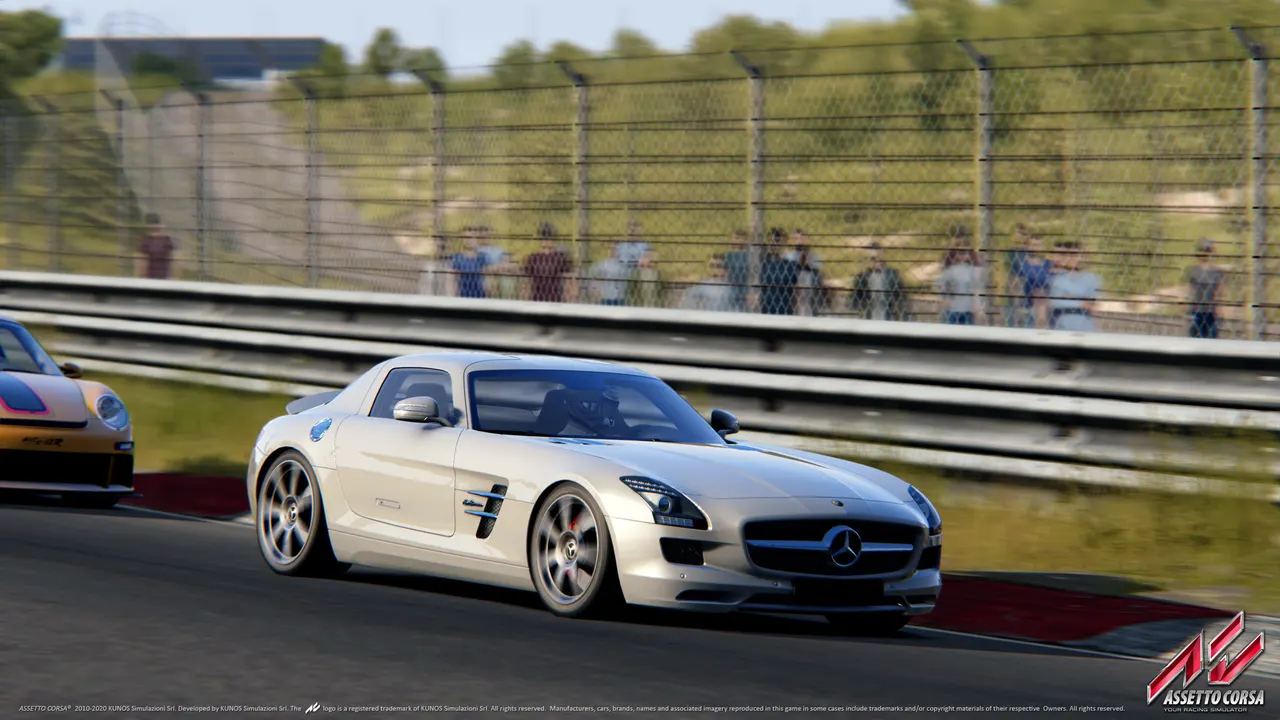
Assetto Corsa is a 2014 game, but modded AC in 2026 looks and behaves like something much newer. Almost all of that comes from two community projects: Content Manager and Custom Shaders Patch. If you've read our Assetto Corsa installation guide, you've already met them. Here's what each actually does, how they fit together, and how to keep them healthy.
For the wider scene, see the Assetto Corsa hub.
Content Manager: the launcher
Content Manager (CM) replaces Kunos' original launcher. It doesn't change how the game drives. It changes how you get into the game, and how you manage everything around it.
What it does:
- Installs mods. Drag an archive onto the window and it detects cars, tracks, skins, weather and more, then copies them to the right folders.
- Organizes content. Browse every car and track with previews, filter by class or author, check for errors, and delete what you don't use.
- Sets up races. Quick practice, races with AI, track days, time and weather settings, all saved as presets.
- Handles online play. Its server browser shows what each server runs and what content you're missing, which the original launcher handles poorly.
- Hosts CSP settings. Installing, updating and configuring Custom Shaders Patch all happens through CM.
The free version does all the essentials. The paid full version adds extra conveniences; you can decide later whether you want them.
Custom Shaders Patch: the engine extension
Custom Shaders Patch (CSP) works at a deeper level. It extends Assetto Corsa's rendering and parts of its simulation, adding features the original engine never had.
Highlights include:
- Modern lighting, including dynamic lights for headlights, track lighting and night driving.
- Weather and sky support that weather mods like Sol build on.
- Rain effects, including wet surfaces and visuals.
- Extended car and track features, through configuration files mods can ship for CSP.
- Lua scripting, which enables newer apps and in-game tools.
Many modern car and track mods are built specifically for CSP. Without it, they may look broken, lose features, or not load at all. That's why we treat CSP as part of the base game rather than an optional mod.
CSP's public releases install from Content Manager for free. The developer also offers newer preview builds to supporters on Patreon. Those previews come first and become public later, so most players can stay on public builds without missing much.
Sol, Pure and the weather layer
On top of CSP sits a weather layer. Sol is the long-standing free option for dynamic skies, clouds, day-night cycles and weather. Pure is a paid alternative, distributed through its creator's Patreon. You only need one.
| Layer | What it is | Required? |
|---|---|---|
| Content Manager | Launcher, installer, online browser | Effectively yes |
| Custom Shaders Patch | Engine extension | Effectively yes for modern mods |
| Sol or Pure | Weather and sky | Optional, highly recommended |
| Cars, tracks, apps | Content | Your choice |
Setting it up
- Install Content Manager from its official site into its own folder and point it at your AC folder on first launch.
- Install CSP: Settings, then the Custom Shaders Patch section, then install.
- Add a weather mod: download Sol from its official page and drag the archive onto CM. Then choose it in CSP's weather settings.
- Check performance: CSP's effects can be demanding. If frame rates drop, turn down the heaviest visual effects first, like reflections, shadows and rain detail, then re-enable what you miss most.
- Drive a Kunos car on a Kunos track to confirm the base setup works before adding mods.
Keeping it working
Update CSP on purpose. New CSP versions add features and fix bugs, and new mods often need them. But updates can also change how older mods look or behave. Update when you have a reason, not automatically.
Use version switching. Content Manager can install a different CSP version from its settings. If a mod breaks after an update, switching back is a quick way to confirm the cause.
Keep CM updated. Content Manager updates itself and rarely causes problems. Newer versions keep pace with CSP and online server changes.
Read mod requirements. Pages often say "requires CSP" plus a minimum version. That one line explains most "it looks wrong" problems.
Back up your CSP settings. If you've tuned CSP carefully, Content Manager lets you save presets. Keep them before big changes.
When things go wrong
- Game won't start after a CSP update: switch to the previous CSP version in Content Manager, then report the issue with your details.
- Weather looks broken: check that your weather mod and CSP versions are compatible, and that the weather mod is selected in CSP.
- Black screens or flickering on some tracks: often a track configuration issue; check for an updated track or CSP config from the mod's author.
- Online server rejects you: missing or mismatched content. CM's server info shows what's needed.
Our take
Treat Content Manager and Custom Shaders Patch as the real Assetto Corsa. Installing them isn't "modding" in the risky sense; it's the baseline nearly every modern mod and server assumes. Skip them and you're playing a decade-old version of the game.
Where we'd be conservative is updates. Chasing every preview build is a hobby of its own. For most players, a stable public CSP version, Sol, and a curated set of cars and tracks is the sweet spot. Update when a mod you want needs it, and keep the old version one click away.
Coming from another game where community tools became essential? Our Cyberpunk 2077 mod frameworks guide covers a similar stack of layered tools.
People also ask
Is Content Manager free?
There's a free version that covers installing mods, setting up races and online play. A paid full version adds extra features. Beginners can start with the free one.
Is Custom Shaders Patch free?
Public CSP releases are free and installable from Content Manager. Newer preview builds are offered to supporters on the developer's Patreon before public release.
What's the difference between CSP and Sol?
CSP is the engine extension. Sol is a weather and sky mod that runs on CSP's weather system. You need CSP for Sol, but not Sol for CSP.
Can I uninstall Custom Shaders Patch?
Yes. Content Manager can disable or remove CSP from its settings, returning the game to its original renderer. Mods that require CSP will then look wrong or fail.
Everything else about modding Assetto Corsa lives on one page.
Open the Assetto Corsa hub