Quick answer
Install Content Manager first and point it at your Assetto Corsa folder, then use it to install Custom Shaders Patch. With those two in place, you can add cars and tracks by dragging their archives onto Content Manager. Start with a few well-made, legitimately published cars and tracks rather than a giant pack.
What modding Assetto Corsa is like
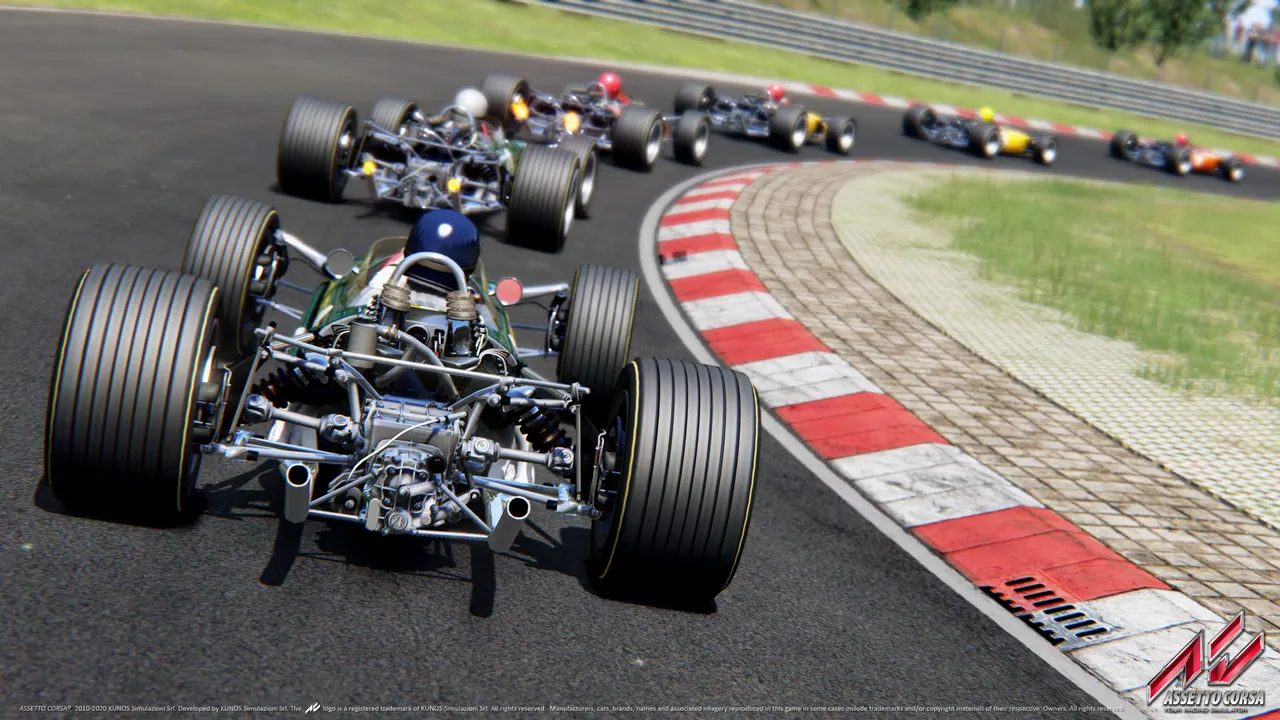
Assetto Corsa came out in 2014 from Kunos Simulazioni, and its sequels and spin-offs have never replaced it in the modding world. The reason is openness: cars and tracks are folders that the game reads directly, and the community has spent years building tools on top of that.
Two community projects define the modern scene. Content Manager (CM) is a replacement launcher that handles installing mods, managing content, joining online servers and setting up races. Custom Shaders Patch (CSP) extends the game's engine with modern lighting, weather support, rain and many features newer mods rely on. On top of CSP sit weather and sky mods such as Sol, which is free.
Unlike games built around a mod loader, there's no load order to manage. A car is a folder, a track is a folder, and if two mods would clash they usually just use different folder names. That simplicity is why AC is a good first sim to mod. The complexity lives elsewhere: in CSP versions, in content quality, and in keeping your collection consistent with the servers you race on.
Mods are mostly cars and tracks, plus visual and audio upgrades, apps and setups. Quality ranges from professional-grade work, some of it paid, to quick conversions of dubious origin. Choosing well matters more than installing a lot.
What you need before installing anything
- Assetto Corsa on Steam, launched at least once. Ideally with the Ultimate Edition or official DLC, since some mods use Kunos cars or tracks as a base.
- Your game folder, usually
steamapps\common\assettocorsain your Steam library. Content Manager asks for it on first launch. - Content Manager, from its official site. The free version covers everything a beginner needs; a paid full version unlocks extra features.
- Custom Shaders Patch, installed from inside Content Manager.
- Patience with your first mods. Install a few, drive them, then add more.
Our installation guide walks through every step, and our Content Manager and CSP explainer covers what those two tools actually do.
Mods worth starting with
We'd build up in this order:
- Content Manager and CSP. Not optional in practice. Most modern mods assume both.
- Sol or another weather mod. Day-night cycles, better skies and weather transform how the game looks, even with only Kunos content.
- A handful of quality tracks. Laser-scanned or carefully built tracks from respected creators. Tracks change the game more than any single car.
- Cars that match how you drive. A few cars from known creators, picked for the kind of racing you enjoy, beat a 500-car pack every time.
- Apps. Python apps for telemetry, timing and HUD information. CSP also extends what apps can do.
Our take: AC is at its best as a curated garage, not a hoard. Ten great cars and five great tracks give you more racing than a folder full of half-finished conversions.
Common ways people break their game
- Installing giant mod packs. They bloat loading times, mix good and broken content, and make it hard to find the culprit when something fails.
- Ripped content. Many free "mods" are models taken from other games without permission. They're often poorly converted and they hurt creators. Download from OverTake (formerly RaceDepartment) or creators' own pages, and skip anything that looks lifted from a commercial game.
- CSP version mismatches. Newer mods sometimes need a recent CSP; updating CSP can occasionally change how older mods look. Content Manager lets you switch versions if needed.
- Copying folders to the wrong place. Cars go in
content\cars, tracks incontent\tracks. A doubled-up folder (a car folder inside another folder of the same name) is the classic manual-install mistake. - Unfair online setups. Modded content in multiplayer is normal, but follow each server's rules. Never use modified data to gain an advantage over other drivers.
Where to go next
Start with the Assetto Corsa installation guide, then read Content Manager and CSP explained to understand the two tools you'll live in.
Like your driving slower and longer? The Euro Truck Simulator 2 hub has a deep mod scene of its own. For another game where community tools replaced the official launcher, see the Cities: Skylines hub.
Assetto Corsa modding FAQ
Do I need Content Manager to mod Assetto Corsa?
Not strictly, since mods can be copied into the content folder by hand. But Content Manager makes installing, checking and launching mods far easier, and almost every modern guide assumes you use it.
What is Custom Shaders Patch?
Custom Shaders Patch (CSP) is a community extension for Assetto Corsa's graphics and physics engine. It adds modern lighting, weather support, rain and many features that newer car and track mods depend on.
Is Assetto Corsa the same as Assetto Corsa Competizione?
No. This hub covers the original 2014 Assetto Corsa. Competizione is a separate game with a different engine and much more limited modding.
Can I use mods in Assetto Corsa multiplayer?
Yes. Servers choose their cars and tracks, and you need the same content installed. Content Manager shows what's missing when you browse servers.
Last updated 2026-11-23