Quick answer
Cities: Skylines mods come from the Steam Workshop: subscribe, then enable each mod in the Content Manager before loading a city. Before your first subscription, back up your saves and check whether the mod is still maintained for the current game version. Start small, with a traffic manager and a building tool, not a 2,000-item collection.
What modding Cities: Skylines is like
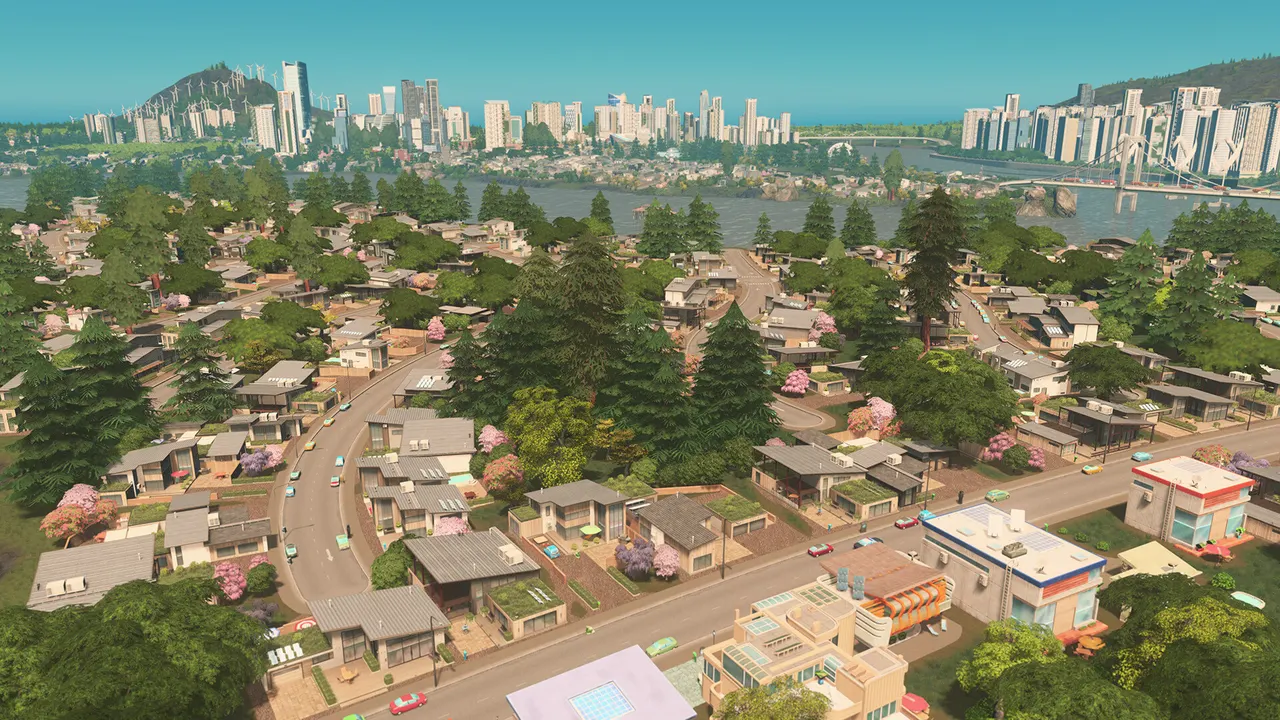
Cities: Skylines launched with Steam Workshop support and the community never stopped building for it. Years of mods and an enormous asset library mean almost anything you want to build has already been modeled by someone: specific bus stops, real-world interchange pieces, regional building styles.
The scene has two halves. Mods change how the game works: traffic rules, building tools, map size, UI. Assets are content: buildings, props, trees, road types. Assets are mostly harmless. Mods are where your game breaks, especially after a game update, because they hook into the game's code.
Colossal Order's later focus on Cities: Skylines II means the original gets few or no updates now. That is quietly good news for modders: a game that stops changing is a game whose mods stop breaking. We argue the details in Cities: Skylines 1 vs 2 modding.
What you need before installing anything
- The PC version on Steam. The Workshop is where nearly everything lives. Mods from other sites exist but are a small minority. Console editions do not support mods.
- A save backup. Saves are stored under
%LOCALAPPDATA%\Colossal Order\Cities_Skylines\Saves. Copy that folder before adding any new mod. - A habit of reading Workshop pages. Every serious mod page has a compatibility section, a "last updated" line and a comments tab. Read them. A mod that was abandoned years ago is not safe because it still appears in search.
- Patience with the Content Manager. Subscribing to a mod only downloads it. You also have to enable it in Content Manager, from the main menu or the Paradox Launcher, before you load your city.
Our install guide covers all of this step by step, including how local mods work.
The kinds of mods worth starting with
Traffic management. Traffic Manager: President Edition (TM:PE) is the single most important mod in the game. It adds lane arrows, junction rules, priority signs, timed traffic lights and vehicle restrictions. Vanilla traffic is the thing that breaks most cities; TM:PE is how you fix it without bulldozing half your map.
Building tools. Move It lets you move, rotate and align anything after placement. It sounds small and changes how you build completely. Find It! makes large asset libraries searchable.
Roads. Network Extensions 2 adds road types the base game lacks, and Network Anarchy relaxes placement rules for slopes, bridges and tight spaces.
Map size. The base game limits how many tiles you can unlock. 81 Tiles removes that limit, but a bigger city means more simulation load, so treat it as a later addition.
Diagnostics and infrastructure. Harmony is a dependency many mods require; subscribe to it when a mod page asks you to. Mod Tools by bloodypenguin adds a debug console that shows which mod threw an error.
Our take: start with TM:PE and Move It on a new city. Learn them, then grow your list. A huge collection subscribed in one click is the most common reason new players give up on modded Cities.
Common ways people break their game
- Subscribing to abandoned mods. Old mods that hook deep into the game can silently corrupt behavior. The community maintains a broken and incompatible mods list on the Workshop; check it before subscribing to anything old.
- Enabling two mods that do the same job. Two traffic AI mods, or two mods that both replace the road tool, will fight.
- Loading too many assets. Every enabled asset uses memory. Huge asset counts mean long load times and crashes on machines with limited RAM. Enable what you use.
- Removing a mod from a city that depends on it. Unsubscribing from a road or building mod can leave missing pieces in a saved city. Back up first.
- Mixing up games. Cities: Skylines II mods and CS1 mods are not interchangeable, and searching the wrong Workshop is easy.
Where to go next
Read how to install Cities: Skylines mods for the full Workshop, Content Manager and local-mod walkthrough. If you are deciding between the two games, Cities: Skylines 1 vs 2 modding is our opinion on which one rewards a modder more today.
If you like heavy management games with deep Workshop scenes, the RimWorld hub is a close cousin: similar load-order headaches, similar rewards.
Cities: Skylines modding FAQ
Are Cities: Skylines mods free?
Yes. Mods and assets on the Steam Workshop are free to subscribe to. Paid content for the game is official DLC and Content Creator Packs from Paradox, not mods.
Why are my Cities: Skylines mods not working?
Usually because they are not enabled in Content Manager, they are outdated after a game update, or they conflict with another mod. Check the mod's Workshop page for compatibility notes and disable recent additions one at a time.
What is the difference between mods and assets?
Mods change how the game works, such as traffic rules or tools. Assets are content: buildings, props, roads and trees. Assets rarely break games; outdated mods often do.
Do Cities: Skylines 1 mods work in Cities: Skylines II?
No. The sequel has a different engine setup and its own official mod platform, Paradox Mods. Some popular mods have been rebuilt for it by their authors, but nothing carries over directly.
Last updated 2026-11-23