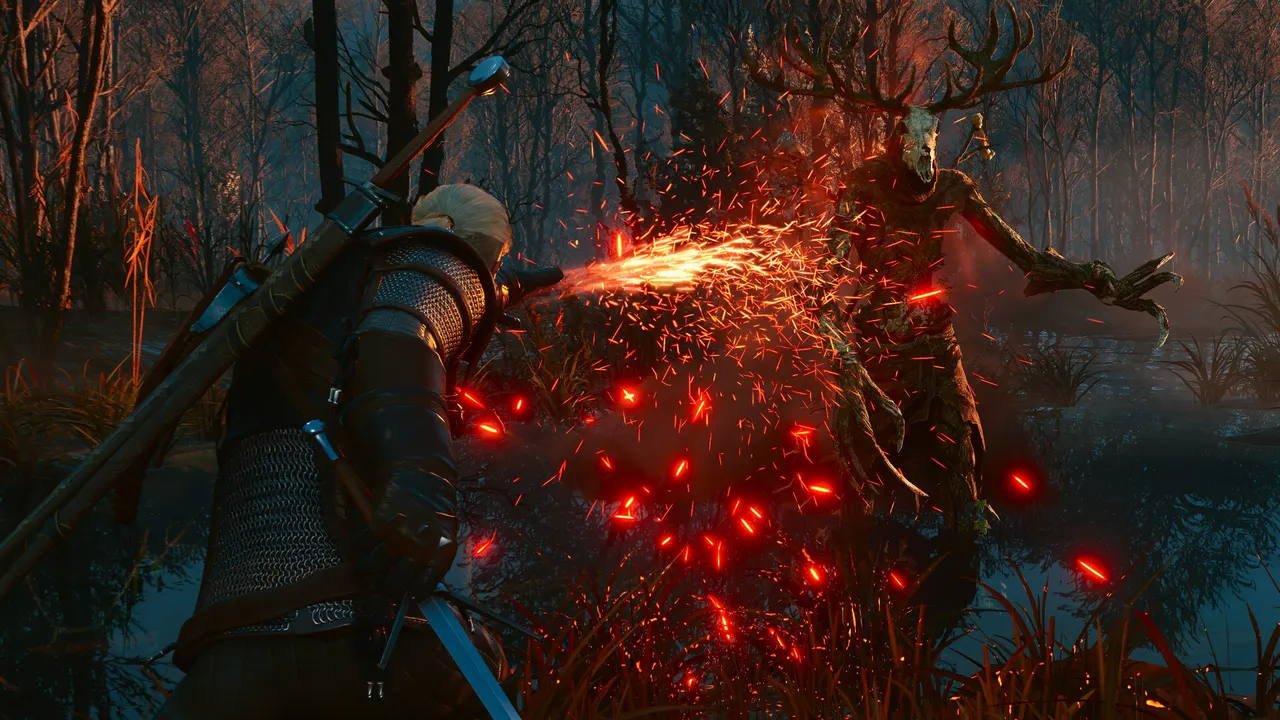
Witcher 3 Next-Gen vs Classic: Which Build Should You Mod?
By GameModeShop Editors4 min read
Quick answer
For most players, mod the next-gen build. It already includes upgraded textures and many quality-of-life changes, it is where active modders and the official REDkit work, and new mods target it. Roll back to the classic 1.32 build only if you specifically want a classic-era overhaul that was never ported, and keep a separate save set for it.
The short version
The Witcher 3 is effectively two moddable games now. The next-gen build is the current version everyone gets by default. The classic 1.32 build is the last version before the next-gen update, and it is still available as a rollback. Mods that change scripts generally work on one or the other, not both.
We think most players should mod next-gen. The exceptions are real, though, and the rest of this piece explains where the line is. For the practical install steps on either build, see our Witcher 3 mod installation guide.
What the next-gen update changed for modders
The next-gen update was free and landed in late 2022. From a modding point of view, three things matter.
Scripts changed. CD Projekt Red rewrote and extended many game scripts to add features such as the new camera options, quick sign casting and other quality-of-life changes. Any mod that edited the old versions of those scripts broke, sometimes with a compile error on launch and sometimes in subtler ways.
Community work was folded in. The update integrated well-known community improvements, most visibly the HD Reworked Project textures by Halk Hogan. A lot of what people used to install on classic to make the game look better is now in the base game.
New rendering and menus. Next-gen added a DirectX 12 renderer with ray tracing alongside DirectX 11, and it changed how mod menus register, which is why menu XML files now need listing in dx11filelist.txt and dx12filelist.txt.
Since then, CD Projekt Red released REDkit, an official toolkit for building quests, levels and assets. REDkit targets next-gen only, which pulls new, ambitious mods toward the current build.
The case for next-gen
- It is where the scene lives. Modders who are still active update for next-gen. New mods, fixes and updated versions of popular classic mods appear there first, or only there.
- You need fewer mods. With upgraded textures and many quality-of-life features built in, the base game already covers a chunk of what classic players spent hours assembling. Fewer mods means fewer conflicts.
- REDkit content. Story and quest mods built with the official toolkit only run on next-gen.
- Default install. You do not have to manage a rollback, and you are on the build that platforms install by default.
The case for classic 1.32
- Classic-era overhauls. Some big overhauls, such as W3EE (The Witcher 3 Enhanced Edition) in its original form, were built for 1.32. If a specific overhaul you want was never ported or the port is not the version you want, classic is the only way to play it.
- A finished, stable mod list. Classic has not changed in years. A load-out that worked once will keep working, because nothing underneath it will move.
- Lower system demands. If your PC struggles with next-gen, the classic build is generally lighter to run, especially compared with the DirectX 12 renderer.
Where people get burned
The most common failure is mixing builds. Someone follows an older guide, installs a classic-only combat mod on next-gen, and gets a wall of script errors. The opposite happens too: a player rolls back to classic for an overhaul and keeps a next-gen-only menu mod from their previous setup.
The second is saves. Classic saves load in next-gen, but you should not expect a next-gen save to load on classic. If you roll back, start fresh or use a backed-up classic save.
The third is stale merges. Switching builds without clearing mod0000_MergedFiles and re-running Script Merger leaves you with merged scripts made from the wrong base. Delete the old merge and rebuild it after any build change.
How to roll back if you decide to
On GOG Galaxy, open the game's settings, go to managing the installation, and choose the classic version from the available versions. On Steam, open the game's properties and pick the classic branch from the Betas tab. Either way:
- Back up
Documents\The Witcher 3before switching. - Move your current
Modsfolder out of the game directory, so you do not mix builds. - Install only mods that state they support 1.32.
- Run Script Merger fresh.
To go back to next-gen later, switch the branch or version back, restore your next-gen mod folder, and rebuild the merge.
Our take
Mod next-gen unless you have a specific reason not to. A first-time Witcher 3 player, or anyone returning for a replay with visual and quality-of-life mods, gets the better deal on the current build: more of the work is already done, active modders are there, and REDkit content is only going to grow.
Roll back to classic 1.32 when, and only when, you want a classic-era overhaul that you know is not available in a form you like on next-gen. In that case, commit to it: separate saves, separate mod folder, nothing borrowed from your next-gen setup. A "mostly classic, a few next-gen mods" setup does not exist; it is just a broken game.
The same tension shows up across modding whenever a big official update lands. We take a similar view in our piece on Fallout 4 mods after the next-gen update, and the Witcher 3 hub lists which mod categories carry over between builds most safely.
People also ask
Can I still play the classic version of The Witcher 3?
Yes. The pre-next-gen 1.32 build remains available as a rollback option: GOG Galaxy lets you pick an older version in the game's installation settings, and Steam offers it through the game's Betas tab.
Do next-gen saves work on the classic build?
Do not count on it. Classic saves load in next-gen, but going backward is not supported, so keep a backup of your saves before switching builds.
Do classic Witcher 3 mods work on next-gen?
Mods that only replace textures or models often do. Anything that changes scripts usually needs a next-gen version, because the update rewrote many of the scripts those mods edit.
Is REDkit for next-gen or classic?
REDkit, CD Projekt Red's official modding toolkit, targets the next-gen build. Mods made with it will not run on classic 1.32.
Everything else about modding The Witcher 3: Wild Hunt lives on one page.
Open the The Witcher 3: Wild Hunt hub