Quick answer
To mod Terraria on PC you need tModLoader, a free separate app on Steam for anyone who owns Terraria. Install it, launch it once, and browse or subscribe to mods through its Workshop menu or the Steam Workshop. tModLoader keeps its own characters and worlds, so start a fresh character and world for your first modded run.
What modding Terraria is like
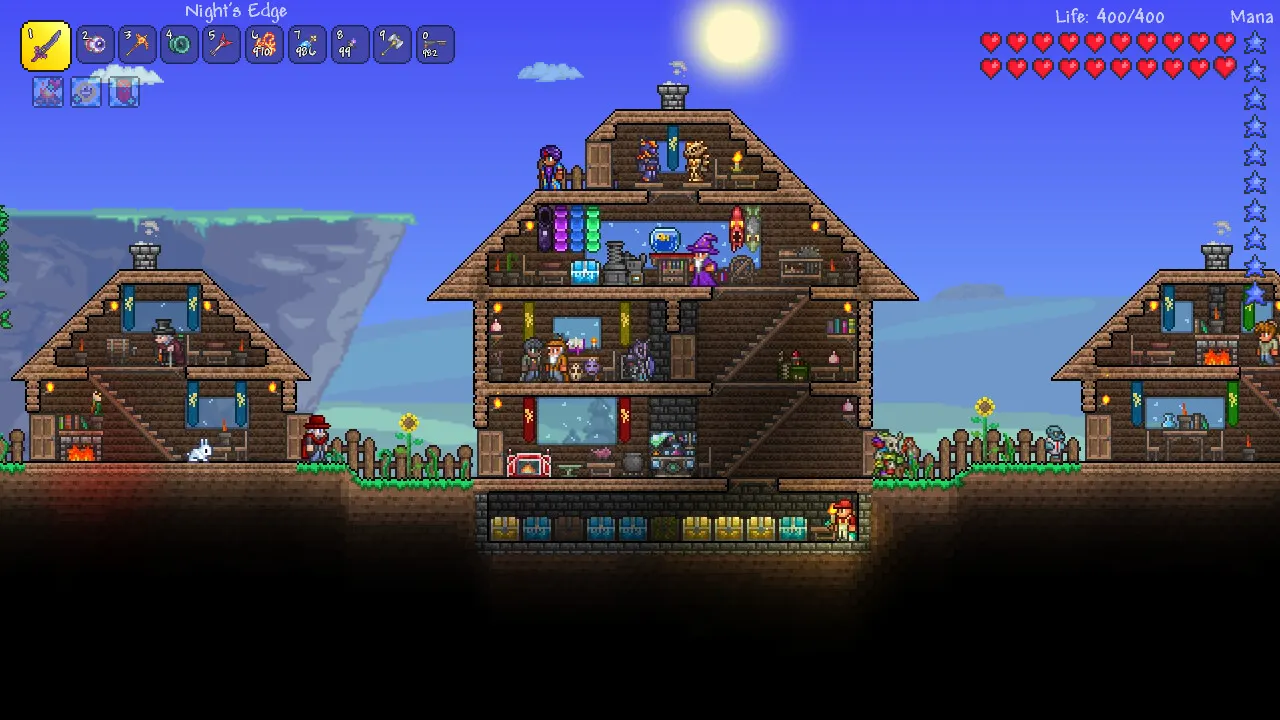
Terraria modding runs almost entirely through tModLoader, a community-built mod loader that Re-Logic supports. It is distributed as its own free app on Steam for anyone who owns Terraria there. You launch tModLoader instead of Terraria, and it handles downloading, enabling and loading mods for you.
Mods come from the Steam Workshop, either through the Workshop page in Steam or the in-game Workshop menu in tModLoader. That makes Terraria one of the friendliest games to mod: no file copying, no external managers, and mods update automatically.
The scene is mature and large. It ranges from tiny quality-of-life tools to content mods that add hundreds of items and dozens of bosses, such as Calamity Mod and Thorium Mod. Multiplayer with mods is common and well supported.
Content mods also come with their own ecosystems. Calamity and Thorium each have add-on mods, music packs and cross-mod patches, and many smaller mods add explicit support for them. That means your mod list naturally grows around one big mod, which is a good reason to choose that big mod carefully.
Before you install anything
- Own Terraria on Steam. tModLoader on Steam requires it.
- Install tModLoader from the Steam store. It appears as a separate entry in your library.
- Launch it once. This creates its own folders under
Documents\My Games\Terraria\tModLoader, including separatePlayersandWorldsfolders. - Back up anyway. tModLoader keeps its saves apart from vanilla, but if you plan to bring a vanilla character over, copy the vanilla
PlayersandWorldsfolders first. - Check RAM. Large content mods load a lot of assets. A big modpack needs noticeably more memory than vanilla.
Mods worth starting with
| Category | Examples | Why |
|---|---|---|
| Information and quality of life | Recipe Browser, Boss Checklist, Census | Show what you can craft, which bosses are next, and what town NPCs need. They change nothing about balance. |
| Storage | Magic Storage | A searchable storage network. Removes chest management, one of vanilla's biggest time sinks. |
| Convenience | AutoTrash, Fargo's Mutant Mod | Auto-discard junk, buy boss summons from NPCs. Useful, but Fargo's makes progression easier. |
| Content overhauls | Thorium Mod, Calamity Mod | New bosses, classes, biomes and items. The reason many people mod Terraria. |
| Cheat tools | HERO's Mod, Cheat Sheet | Item spawning and god modes. Useful for building or testing, not for a real playthrough. |
Our take: your first modded world should have quality-of-life mods plus at most one big content mod. Two giant content mods at once turns progression into a mess of overlapping item tiers. We explain our picks in more detail in our piece on what to add for your first modded playthrough.
How people break their game
- Using an old character in a content mod. A late-game vanilla character walks past most of a content mod's early bosses and gear. Start fresh.
- Removing content mods from a world. Items and tiles from a removed mod become placeholders. tModLoader preserves them in case you re-enable the mod, but the world will look broken until you do.
- Mismatched mod sets in multiplayer. Everyone has to run the same mods and versions. Agree on a mod list, or export it as a mod pack.
- Stacking every popular mod. Huge packs can run out of memory, take minutes to load, and make bugs very hard to trace.
- Mods built for an older tModLoader version. tModLoader keeps legacy branches on Steam for old mods, but mixing old and current mods does not work. Stick to mods that support the current version.
Where to go next
Our step-by-step Terraria mod installation guide covers tModLoader, Workshop downloads, mod packs and multiplayer. For our opinionated pick of what to install first, read your first modded Terraria playthrough.
If you like how cleanly tModLoader works, Stardew Valley has a similar story with SMAPI, and the Valheim hub covers another co-op game with a strong mod scene.
Terraria modding FAQ
Is tModLoader free?
Yes. tModLoader is a free app on Steam for players who own Terraria on Steam, and it installs separately from the base game.
Will tModLoader affect my vanilla Terraria saves?
No. tModLoader uses its own save folder for characters and worlds, so your vanilla saves are left alone.
Can I play modded Terraria multiplayer?
Yes. Everyone needs the same mods enabled, and tModLoader points out mismatches when you try to join a server.
What is the most popular Terraria mod?
Calamity Mod is the best-known content mod, adding a huge amount of bosses, items and difficulty modes. Thorium Mod is the other big content mod and is a gentler first choice for many players.
Last updated 2026-11-23